

INTERACTIVE DIGITAL INVITATION
Fairy Garden
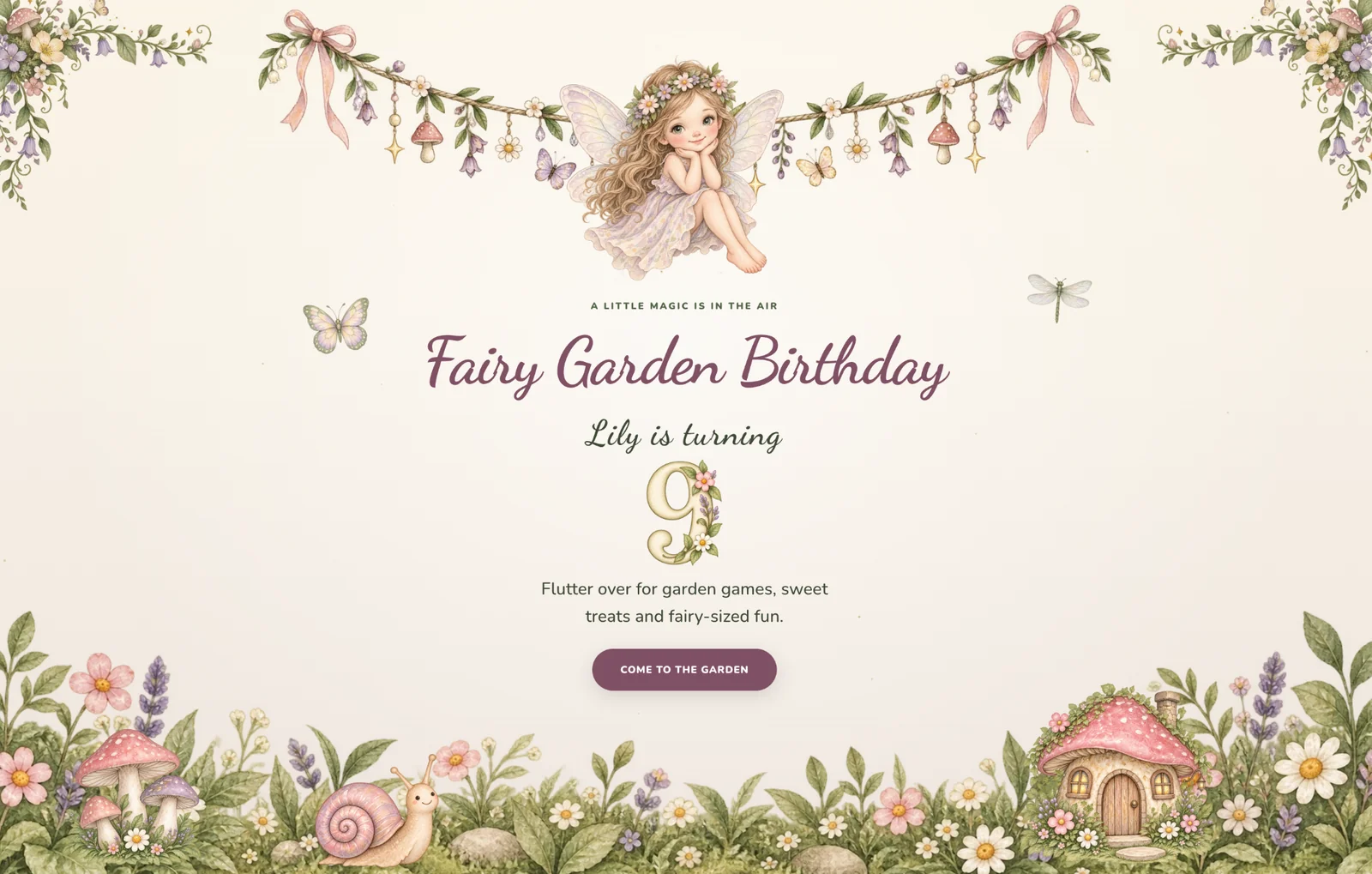
Step into an enchanting garden with Fairy Garden, a beautifully illustrated, animated and interactive digital birthday invitation for a magical celebration.
€8,95
Your invitation. Your private editing space.
After purchase, you receive an email with a personal link to your invitation dashboard. There you can customize, publish and manage your own invitation.
Beautiful on every screen. Desktop, tablet & mobile.
BEAUTIFUL ON EVERY SCREEN
One invitation. Every screen.
Every invitation adapts to different screen sizes. Some designs extend beyond one mobile screen, so guests can simply scroll to explore the full invitation. With the Advanced Editor, you can customize the layout and spacing to suit your celebration.

WHAT IS INCLUDED
Everything you need to invite beautifully
- Beautifully illustrated and animated fairy garden theme
- Personalize your birthday invitation online
- Share your invitation through a digital link
- Collect and manage guest RSVPs online
- Works on desktop, tablet and mobile
- No printing, envelopes or postage required
- Step-by-step English guide available online and as a downloadable PDF
- Edit and republish your invitation whenever plans change
ABOUT THIS INVITATION
Meet Fairy Garden
Make your little ones birthday feel magical from the first invitation. Fairy Garden combines delicate pastel colors, charming illustrations and a whimsical garden atmosphere to create a lovely introduction to the celebration.
Personalize your invitation with your party details in your private online editor. Once you are happy with your design, publish it and share the invitation link with family and friends. Guests can open it on desktop, tablet or mobile.
Your guests can respond using the built-in RSVP button, while you manage their replies in your personal dashboard. If your plans change, you can edit and republish the invitation without sending a new link. No printing or postage is needed.
HOW IT WORKS
Three simple steps to your celebration
- 01
Personalize
After purchase, receive your personal editing link by email. Open your private dashboard and customize your invitation with your party details.
- 02
Share & update
Publish your invitation and share its link with your guests. Need to change something later? Edit and republish your invitation.
- 03
Collect RSVPs
Guests respond through the RSVP button on your invitation. Track and manage their replies in your private dashboard.
GOOD TO KNOW
Frequently asked questions
Is this a digital or printed invitation?
Fairy Garden is a digital invitation. Personalize it online and share a link with your guests. No printing or postage is required.
Can I personalize the invitation?
Yes. You can personalize your invitation in the online editor. The editor interface is currently in English.
How do guests receive the invitation?
Share your invitation link through your preferred messaging or email app.
How do guests RSVP?
Guests open your invitation using the link you share with them. They tap the RSVP button to confirm whether they are coming and submit their response directly through the invitation. You can view and manage guest responses in your online dashboard.
Does it work on mobile devices?
Yes. The invitation works on desktop computers, tablets and mobile phones.
Is there a user guide?
Yes. An English step-by-step guide is available online and as a downloadable PDF.
Can I change my invitation after sharing it?
Yes. Open your personal invitation dashboard, make your changes in the editor and publish the updated version. Guests can then see the updated invitation through the link you already shared.
Will the entire invitation fit on one mobile screen?
Not always. Some invitations are longer than a single mobile screen. Guests can scroll naturally to see the full invitation. You can also adjust layout and spacing using the Advanced Editor.
NEED EXTRA HELP?
Get more from your invitation
Explore the Advanced Editor with our step-by-step guide. Learn how to personalize your invitation, share it with guests and manage RSVPs.
The editor and guide are currently available in English.
MORE TO CELEBRATE
Find another little adventure